For macOS
Superposition
A native Mac desk for one active trader: tape, mood, regime, scanner, setups, alerts, positions, journal, 13F books, politician trades, earnings, all in one window.
Never places a trade. Not investment advice.
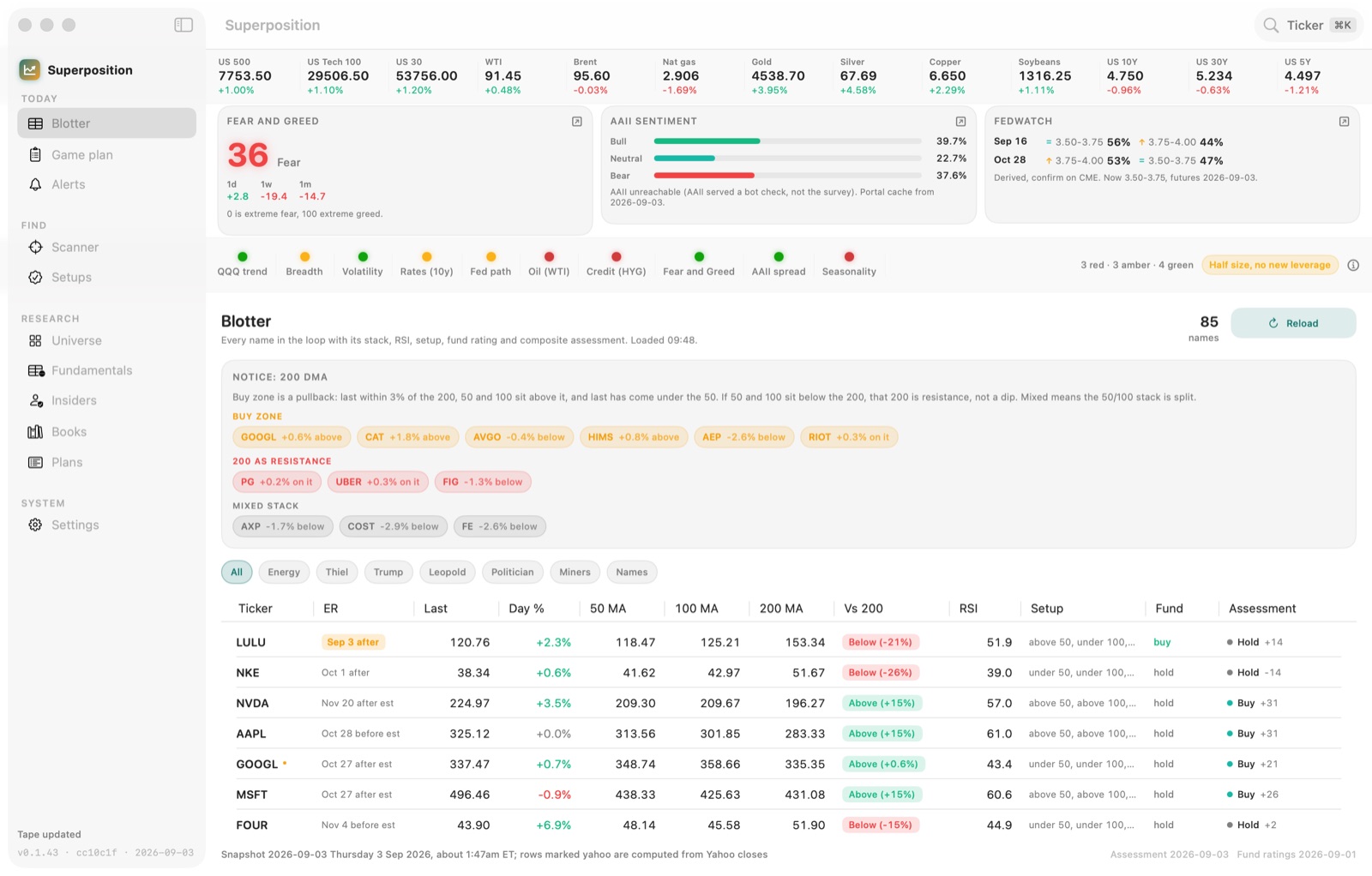
The morning desk
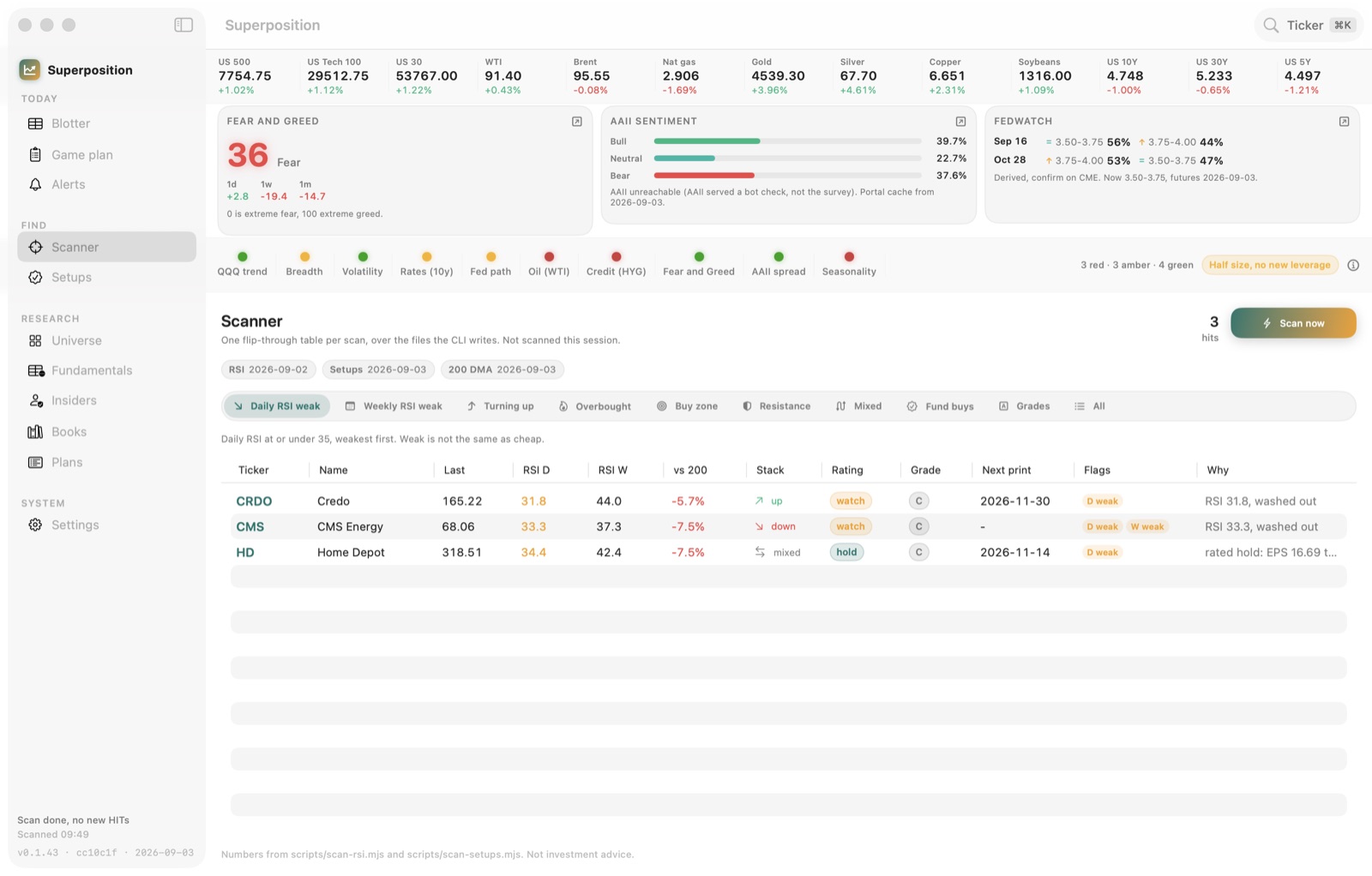
Scanner
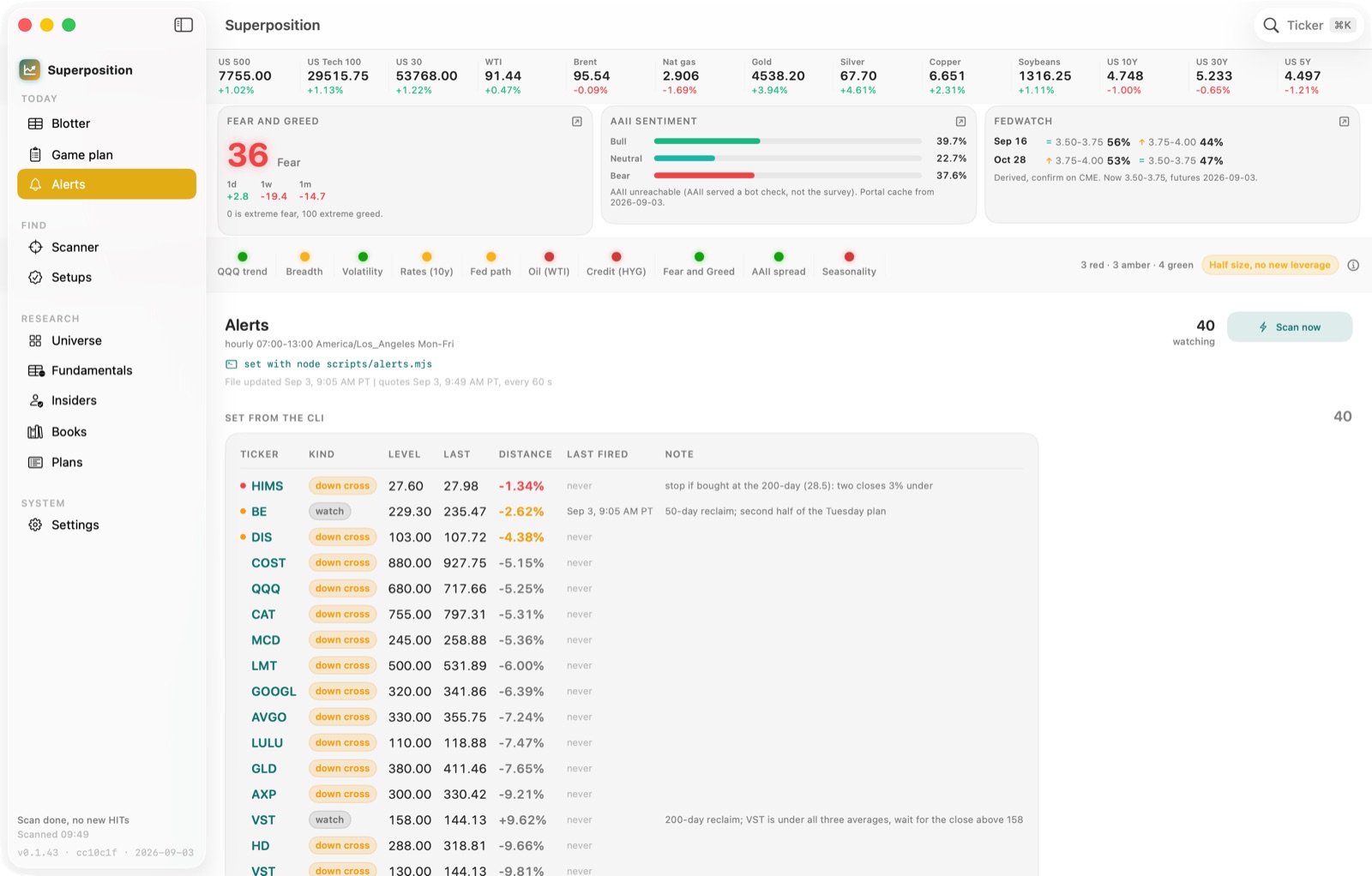
Alerts
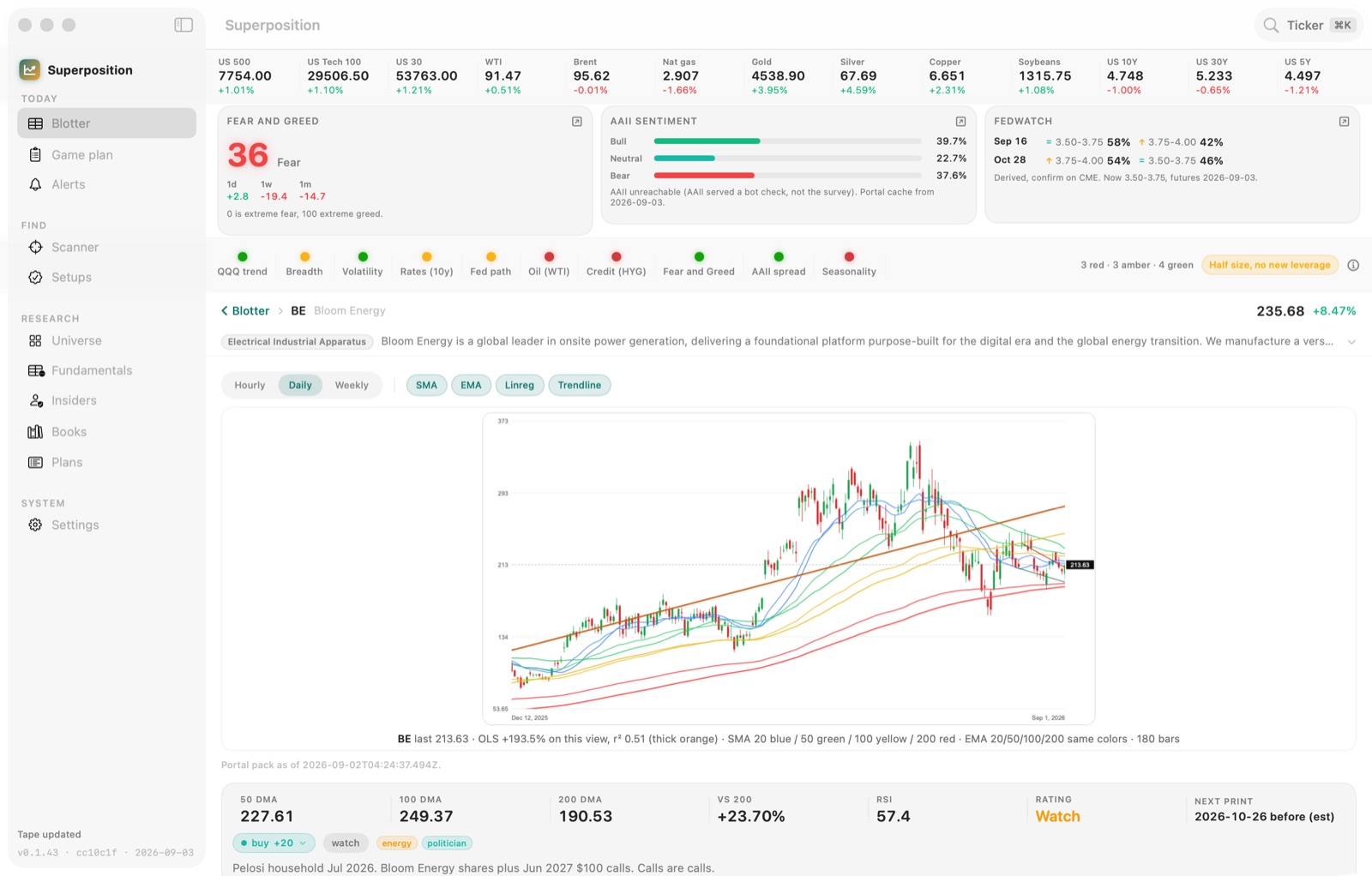
Ticker page
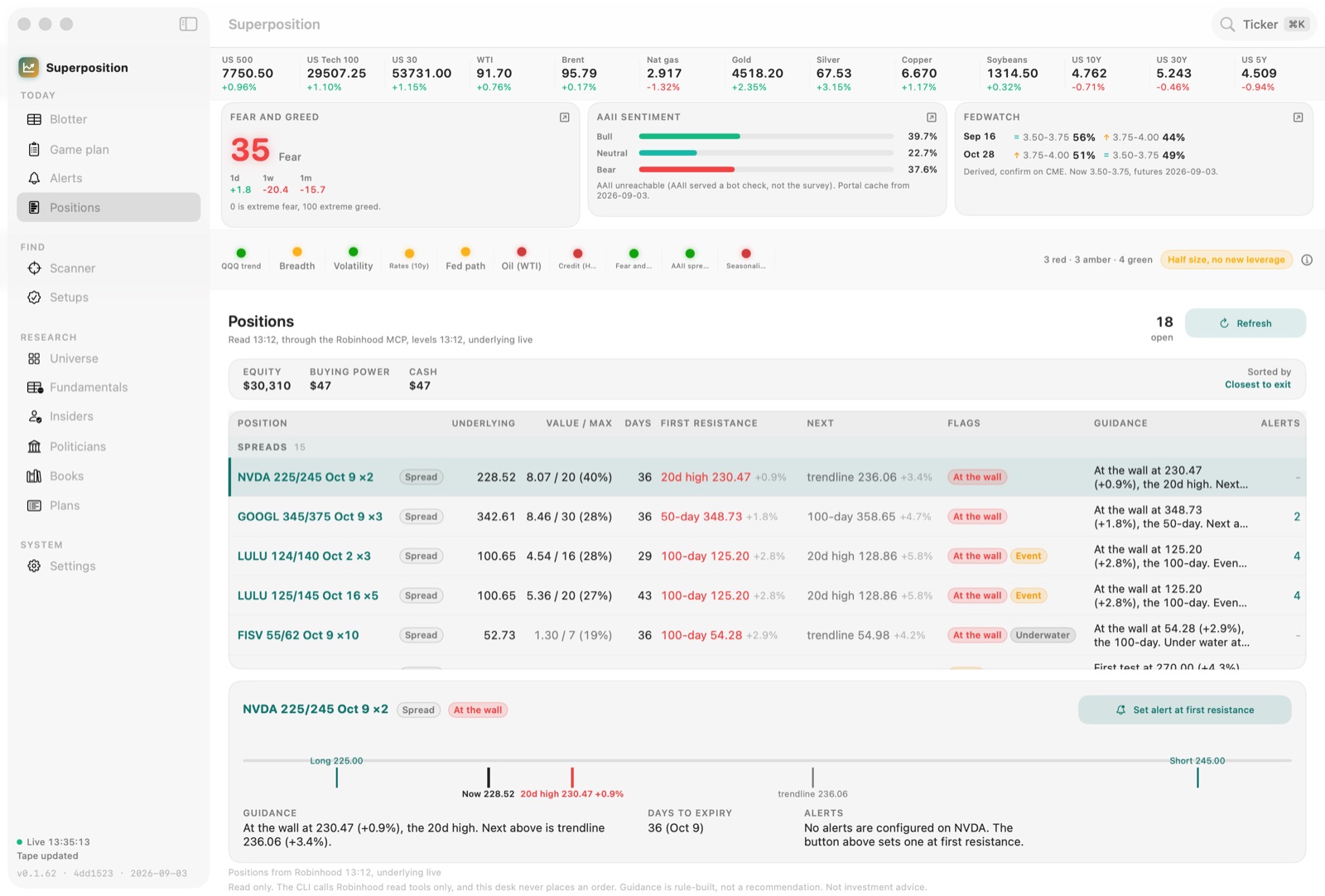
Positions
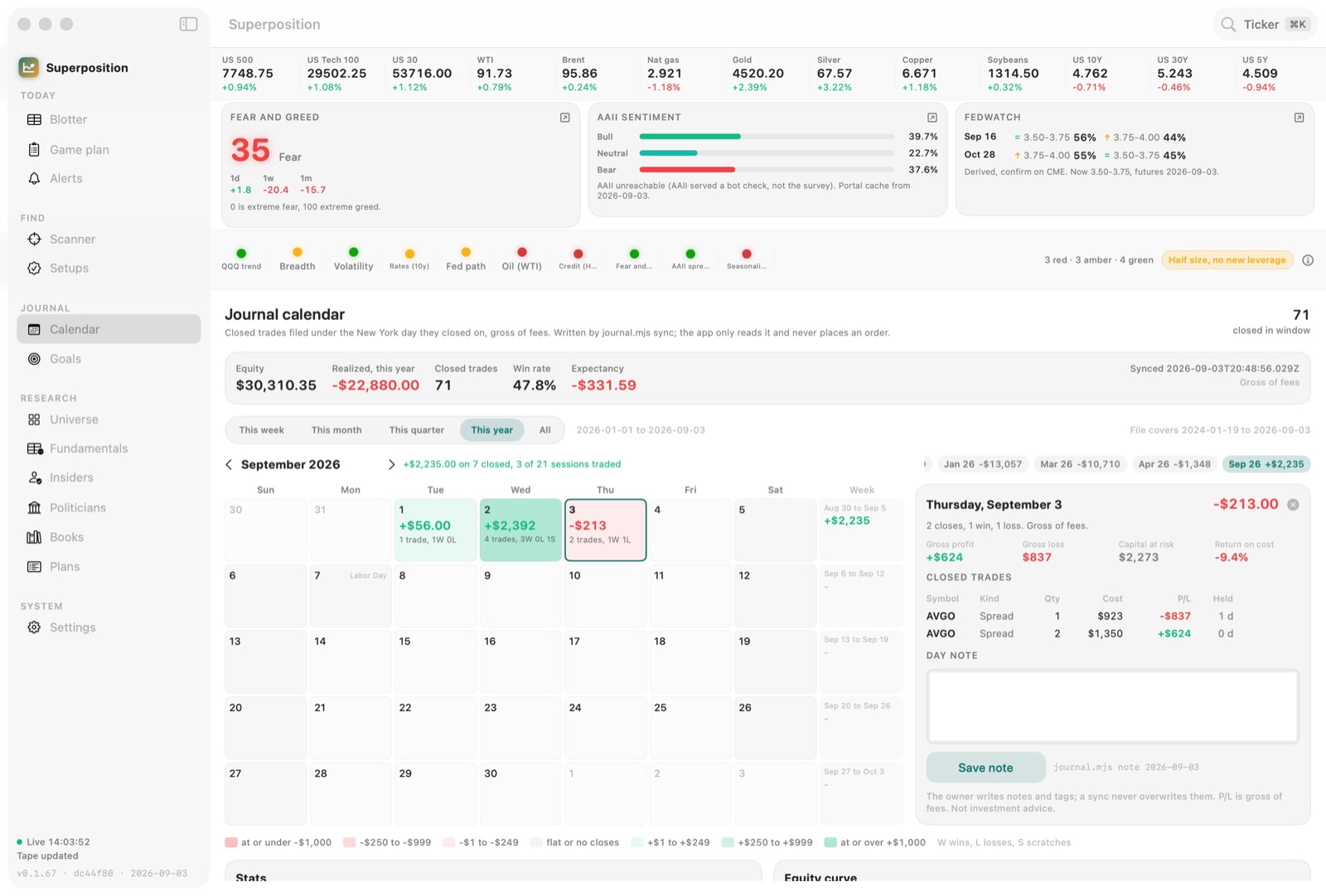
Journal
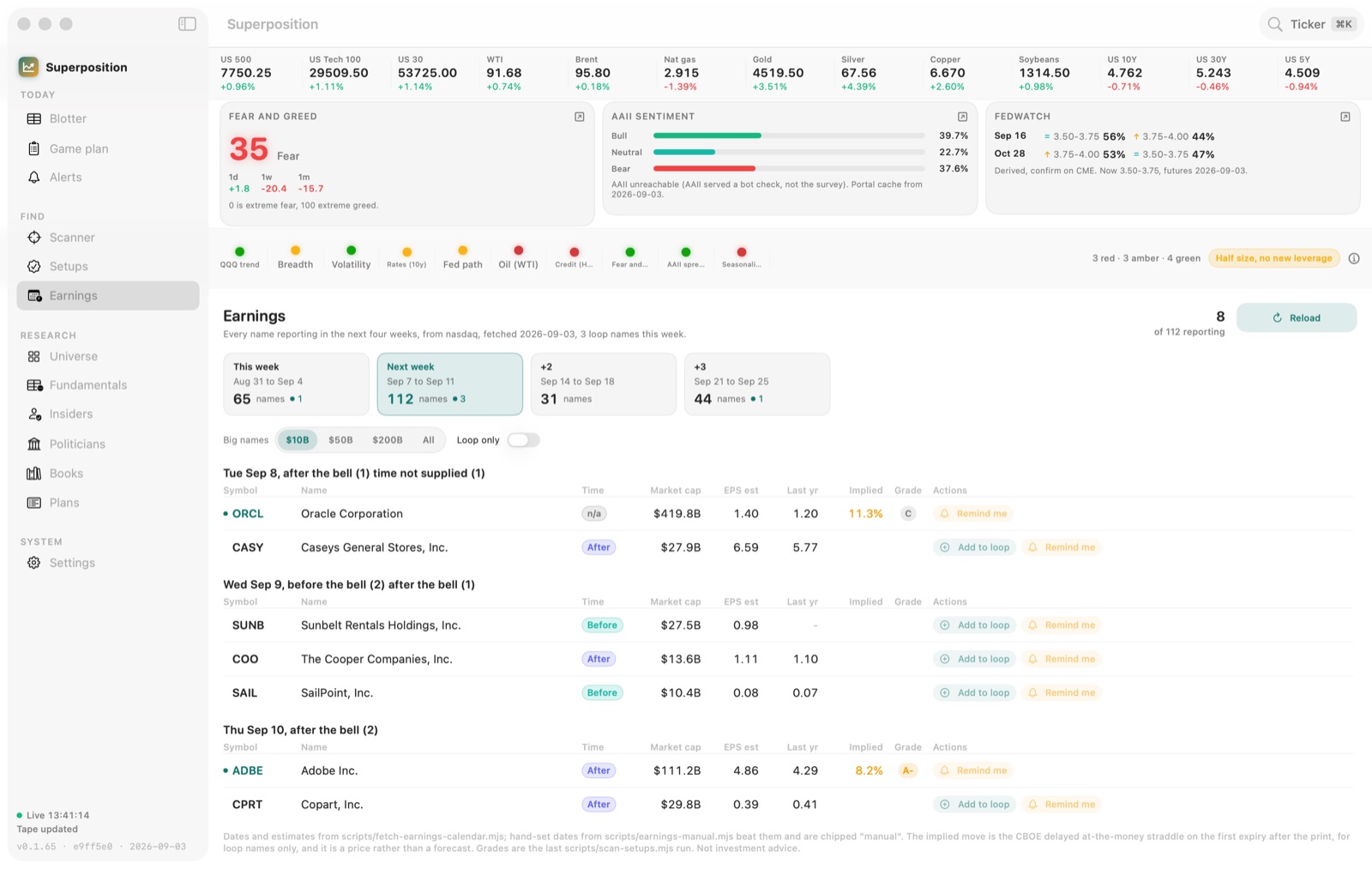
Earnings
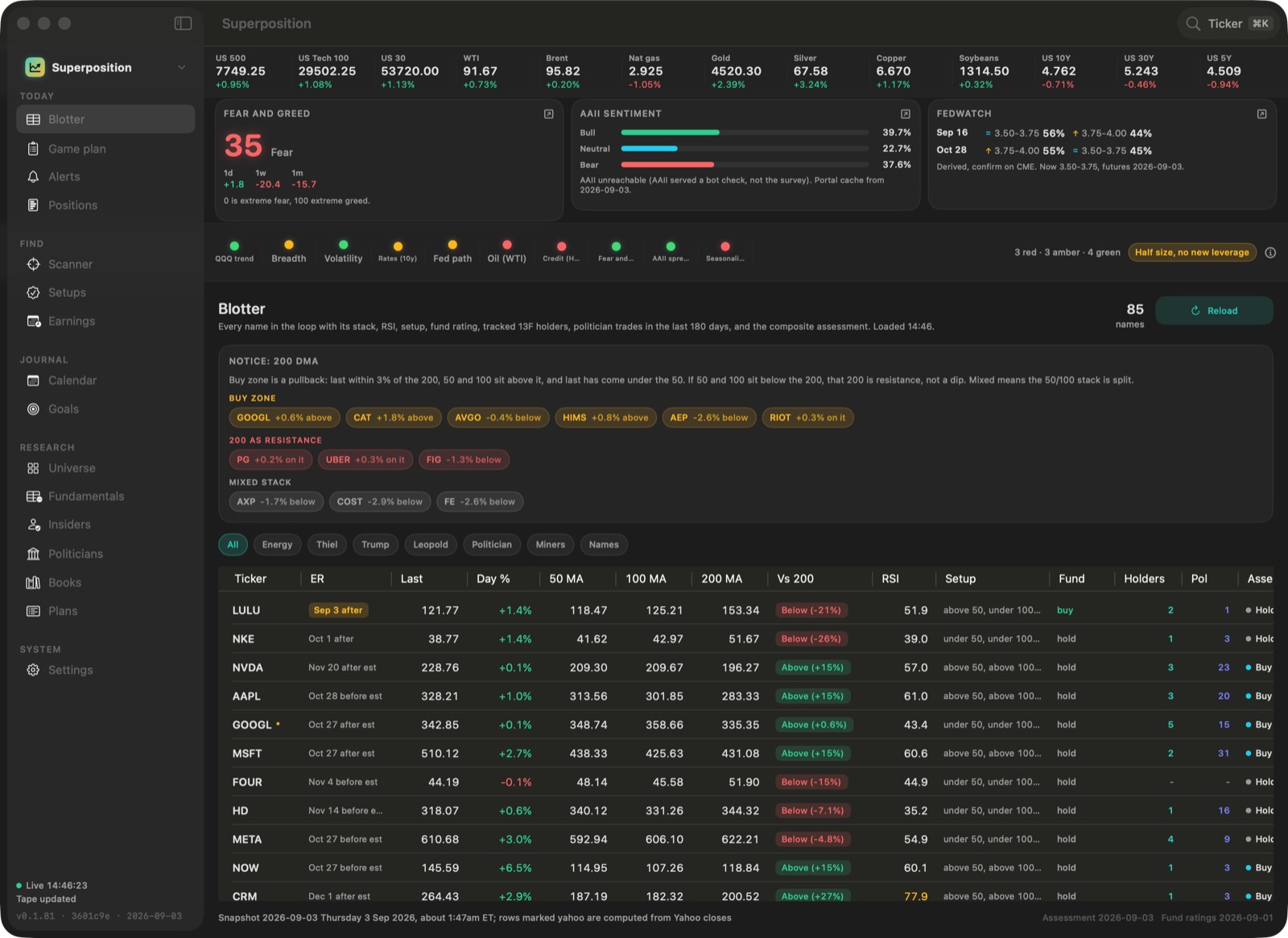
Dark mode
Screenshots from a working build. Numbers shown are the developer's own research data, not a track record and not a recommendation.
Today
The morning desk
One window that answers the only pre-bell question that matters: what kind of day is this, and which of my names moved into a spot worth reading.
- A futures and commodities tape across the top, refreshed while you work.
- Fear and Greed, AAII sentiment, and the FedWatch path, side by side.
- A regime strip of red, amber, and green dots that adds up to a plain posture line, not a signal.
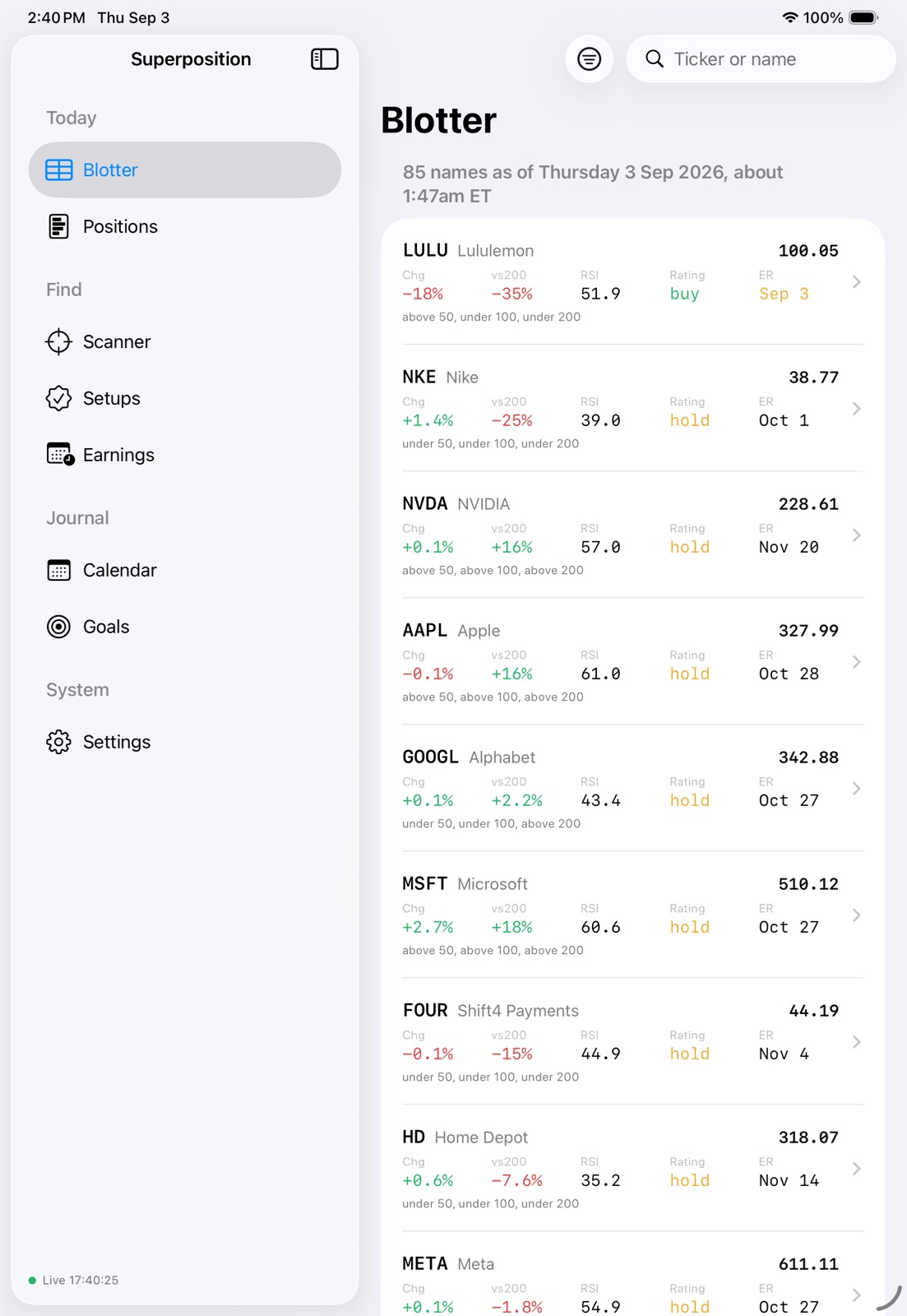
- The blotter underneath: every name in your loop with its moving-average stack, RSI, setup, and composite assessment.
Find
Scanner and setups, on your rules
The scans are rules you can read, not a black box that hands you a pick. Every hit shows the rule that caught it and the reason in plain words.
- Flip through daily and weekly RSI weakness, turning up, overbought, buy zone, resistance, mixed stack, fund buys, and grades.
- Each row carries the last price, daily and weekly RSI, distance to the 200-day, the stack direction, a rating, and a grade.
- A Why column says what fired, so a hit is a place to look rather than an instruction.
- Setups are the same idea held over days: a named pattern with the level that would confirm or kill it.
Research
Charts with your overlays and the volume shelf
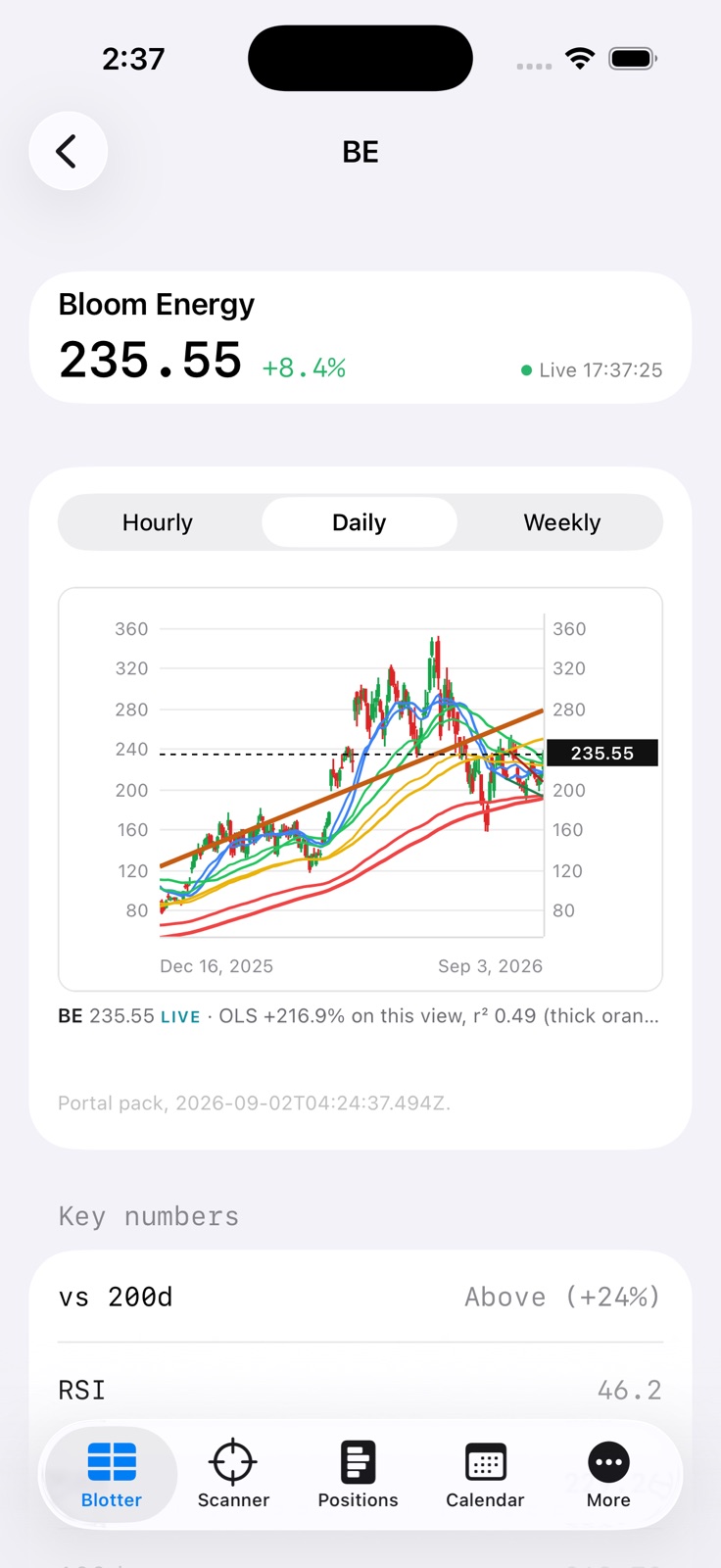
Open any ticker and you get the chart you would have drawn yourself: the averages you use, the regression line, and the price levels where the volume actually traded. Or flip the same name to the TradingView chart when you want it.
- Hourly, daily, and weekly bars, with SMA, EMA, linear regression, and trendline overlays you toggle on and off.
- The 20, 50, 100, and 200 in fixed colors, so the stack reads the same on every name.
- A volume shelf down the right edge: the profile for the window on screen, with the point of control and the shelves it found, because where price spent its time is where it tends to stall.
- Right click any level, a shelf, the point of control, a moving average, and set an alert on that exact number.
- Under the chart: the moving averages as numbers, distance to the 200-day, RSI, the rating, and the next earnings print.
Positions
Positions with exit levels
If you connect a broker, read only, your open positions come in with the one thing a broker screen never shows you: the level in front of each one.
- Every open position sorted by closest to exit, not by alphabet.
- First resistance and the next level above it, with the distance in percent.
- Flags for at the wall, underwater, and an earnings event inside the life of the trade.
- A one-click way to set an alert at first resistance, so the level watches itself.
Journal
Journal and goals
Closed trades land on the day they closed, so a month is a shape you can look at instead of a spreadsheet you never open.
- A calendar colored by the day's result, with the week's total down the right edge.
- Win rate, expectancy, realized profit and loss, and an equity curve, gross of fees.
- A day panel with every close, what it cost, what it made, and how long it was held.
- A note per day, written by you, never overwritten by a sync.
Research
Books and politicians
Institutional 13F books and congressional trade disclosures, cross-referenced against your own loop, so ownership shows up as a column instead of a research project.
- Track the filers you actually care about and see how many of them hold each name.
- Politician trades in the last 180 days, counted per ticker and readable in full on the ticker page.
- 13F books come straight from SEC EDGAR, and the disclosures from the official House and Senate filings.
- Filing lag is filing lag: the app shows the as-of date rather than pretending the data is live.
Today
Earnings calendar
Four weeks of prints ahead, filtered down to the names big enough or close enough to you to matter.
- Grouped by day and marked before or after the bell, with the count per session.
- Filter by market cap or narrow it to the names already in your loop.
- The implied move from the delayed at-the-money straddle on the first expiry after the print. It is a price, not a forecast.
- Add a name to your loop or set a reminder from the same row.
How it gets data
Superposition fetches from your Mac, on your network, with your own connections. There is no Agentic Quarks account and no profile of you on our side.
SEC EDGAR, direct
Fundamentals, Form 4 insider filings, 13F information tables, and company profiles are public and keyless. The app asks SEC for them itself and caches the answer locally with its as-of date.
Official House and Senate disclosures
Congressional trades come from the official House Clerk and Senate disclosure filings, parsed as published. No data broker sits in between.
Live quotes on your Mac
Quotes and bars are pulled by the app on your machine and held in a local cache with a refresh clock you can see. Delayed on the lower tier, live on the top one, and the app always tells you which.
Optional read-only Robinhood
If you want your positions on the desk, you sign in with your own login and the token is stored in your Mac's Keychain. The app reads accounts, positions, and quotes. It cannot place an order. Nothing is sent to us.
Nothing sent to us. Your watchlist, your positions, and your journal never leave your Mac. Data is provided as is by third parties and can be wrong, late, or missing. Not investment advice.
Pricing
None of this is for sale yet. This is the ladder as planned, published early so nobody is surprised later. Prices, tiers, and what sits in each one can still change before launch.
Free
$0
always
The tape, the mood cards, the regime strip, ten names, and the default scanner. No card, no trial clock.
Pro
$24.99
per month, or $199 per year
Everything on the desk today: the full loop, alerts, setups, positions, the journal, 13F books, and politician trades.
Desk
$39.99
per month, or $349 per year
Pro plus live quotes, a scored sentiment quota, written notes, and priority refresh.
A note on the founder price. The first 200 people who take an annual Pro plan are planned to pay $149 per year, and to keep that price for as long as they keep the subscription. This is one person building a desk he uses every morning, not a funded company. Buying it early is how it stays independent, with no ad network and no data broker behind it.
In development
iPhone and iPad companion
A reader, not a second desk. The Mac stays the place where things are written; the phone and the tablet open what the Mac left and stream live prices on top of it, so the blotter, the ticker page, the scanner, positions, and the journal are with you at lunch. It cannot arm an alert, run a scan, or place an order, and every screen says so where the Mac puts the button. In development, not released.
Get it
Mac App Store: coming. Beta builds by request.
iPhone and iPad companion in development.
Questions
Is any of this financial advice?
No. Not investment advice. Superposition shows you public data and the output of rules you can read, and every screen that carries a score or a scan result says so. It is not personalized, it does not know your circumstances, and nothing in it is a recommendation to buy or sell anything.
Does it place trades?
No. There is no order path in the app. It cannot place, modify, or cancel an order, and the broker connection, when you choose to use one, is read only.
Where does my data live?
On your Mac, in a folder you choose. Your loop, alerts, plans, notes, and journal are yours. Nothing about your watchlist, your positions, or your journal is sent to Agentic Quarks.
What about the Robinhood connection?
Optional, and read only. You sign in through Robinhood's own login sheet, your token is stored in your Mac's Keychain scoped to that device, and the app reads accounts, positions, and quotes. Order-placing code is not in the build. Disconnect clears the token whenever you want.
What does the in-app feedback send?
The category you pick, the title and text you write, small diagnostics shown to you first (app version, macOS version, which data source you are on, and the last refresh times), and your email only if you type one. Nothing is sent that was not on the screen first, and nothing is sent unless you press the button. It becomes an issue in a private tracker so it can actually get fixed.
Which Mac do I need?
A modern Mac running a current macOS. The app is native, sandboxed, and has no camera, microphone, or contacts access at all.
About
Made with love in Las Vegas, Nevada, by Agentic Quarks, LLC.
Superposition is built by an independent developer, using the same desk he trades from every morning. There is no ad network and no data broker behind this app. If it saves you time before the bell, the best way to support it is a subscription, a tip on a feature request, or telling one other trader about it.
Not investment advice.